
Managing classroom attendance has always been a tedious, error-prone task — paper registers get lost, proxy attendance is rampant, and tracking historical data manually is a nightmare. Smart Attendance was built to solve exactly these problems. It is a native Android application that leverages QR code technology and role-based access to make attendance tracking seamless for both teachers and students.
Smart Attendance eliminates manual roll calls entirely. Teachers scan a student's unique QR code, and the system records attendance instantly — no paper, no proxies, no hassle.
Project Overview
Smart Attendance is a full-featured mobile application built with React Native for the Android platform. The app provides two distinct user roles — Teacher and Student — each with their own dashboard, permissions, and feature set. Teachers can create classes, manage student enrollments, mark attendance via QR scanning, and view detailed analytics. Students can join classes, view their own attendance history, and share their unique QR code for scanning.
Core features of Smart Attendance:
- Role-Based Dashboards — Separate interfaces for teachers and students
- Class Management — Teachers can create classes, invite students, and manage enrollments
- QR Code Attendance — Each student has a unique QR code; teachers scan it to record attendance
- Attendance Statistics — Comprehensive analytics including present, absent, late, and excused statuses
- Request System — Students can request to join a class, and teachers can approve or reject
- Attendance History — Full history view for students to track their own records
Teacher Dashboard
The Teacher Dashboard is the command center for instructors. After logging in with the teacher role, the dashboard presents an organized view of all classes the teacher manages, quick-action buttons for creating new classes, and a summary of recent attendance activity. The interface is designed to minimize taps and get teachers to their most-used features as quickly as possible.
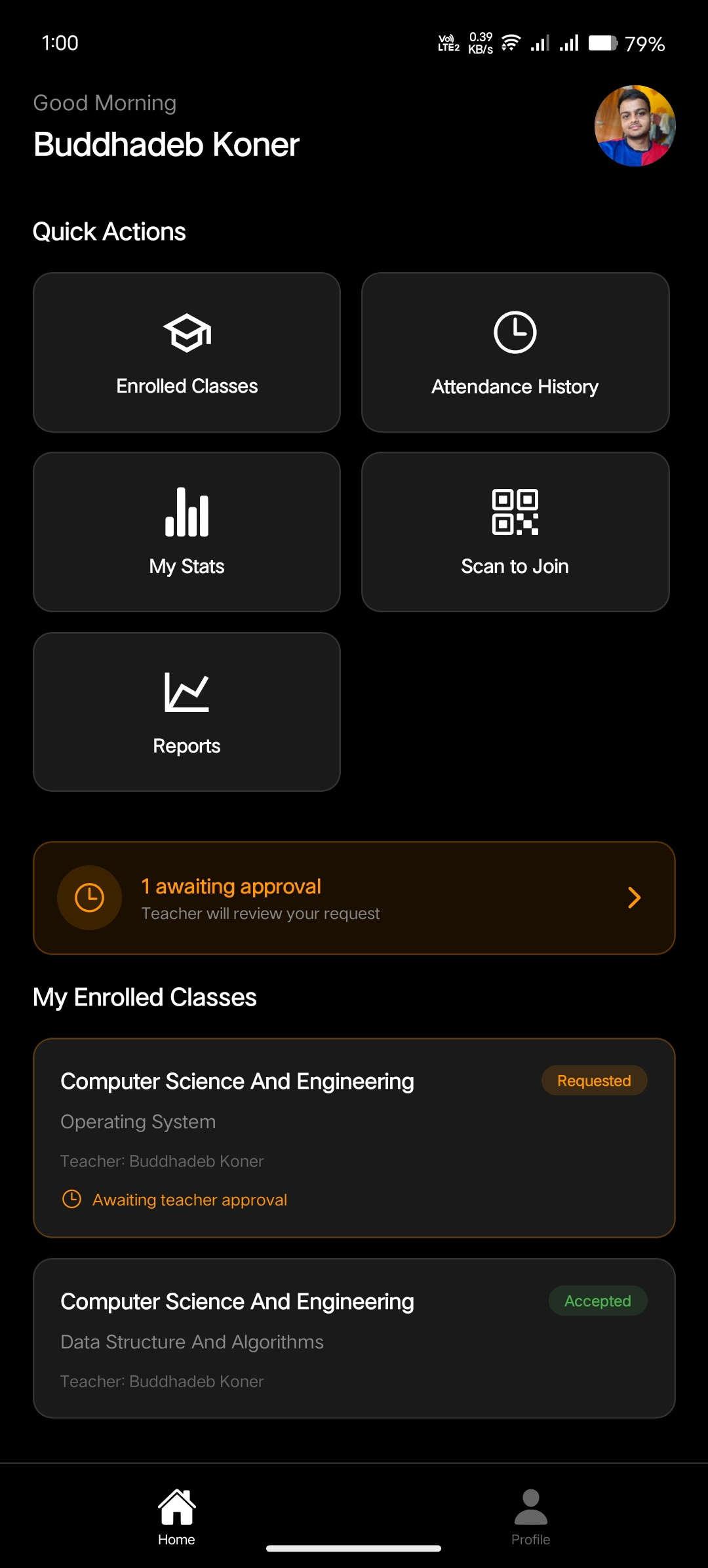
Student Dashboard
The Student Dashboard provides a clean, focused view for students. It displays all the classes a student is enrolled in, their attendance summary across classes, and quick access to their QR code for scanning. The student experience is intentionally streamlined — students see only what they need: their classes, their attendance, and their identity QR code.
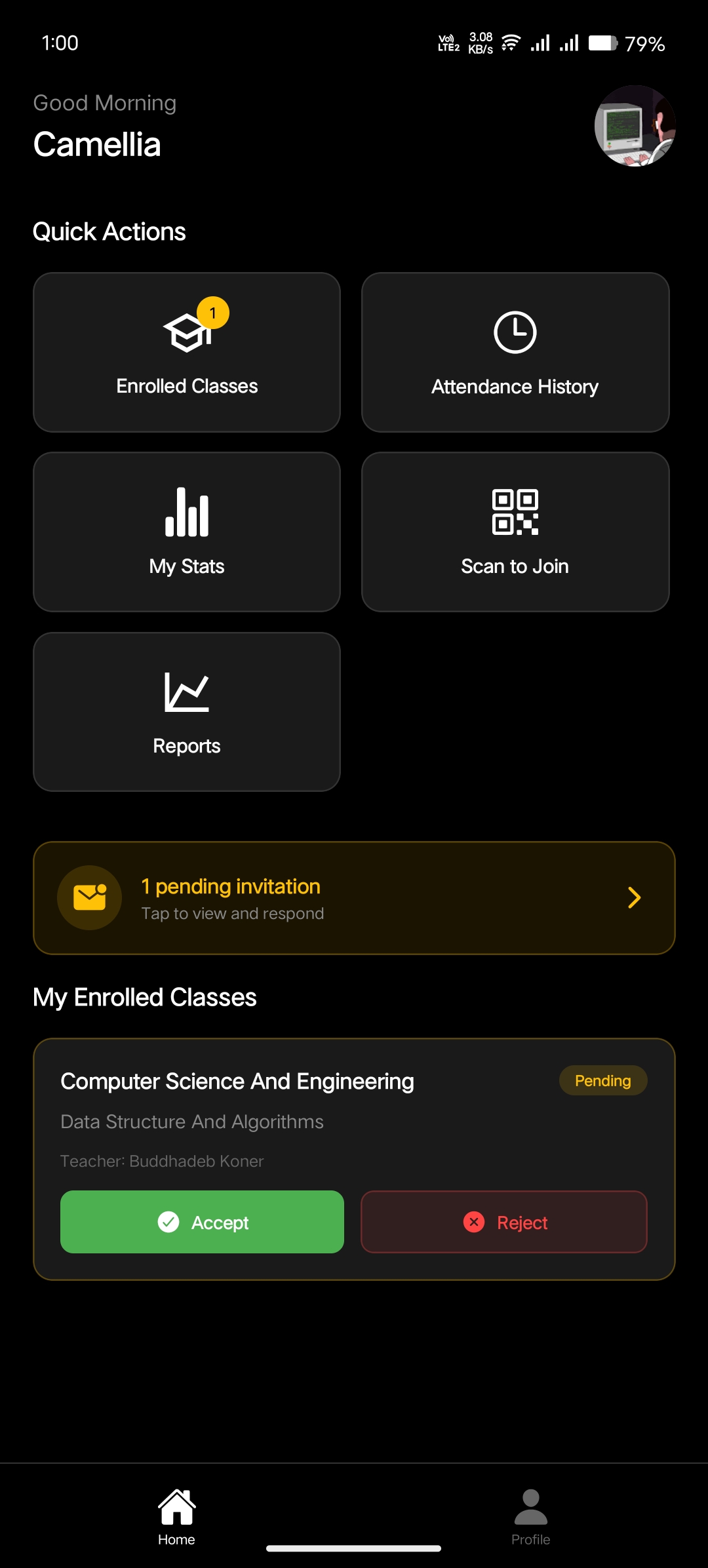
Join Request System: Teacher Invites
Teachers can send enrollment requests to students, inviting them to join a specific class. This screen shows a teacher initiating a request to add a student to their class. The request-based system ensures that only authorized students are part of each class, preventing unauthorized access to attendance records.
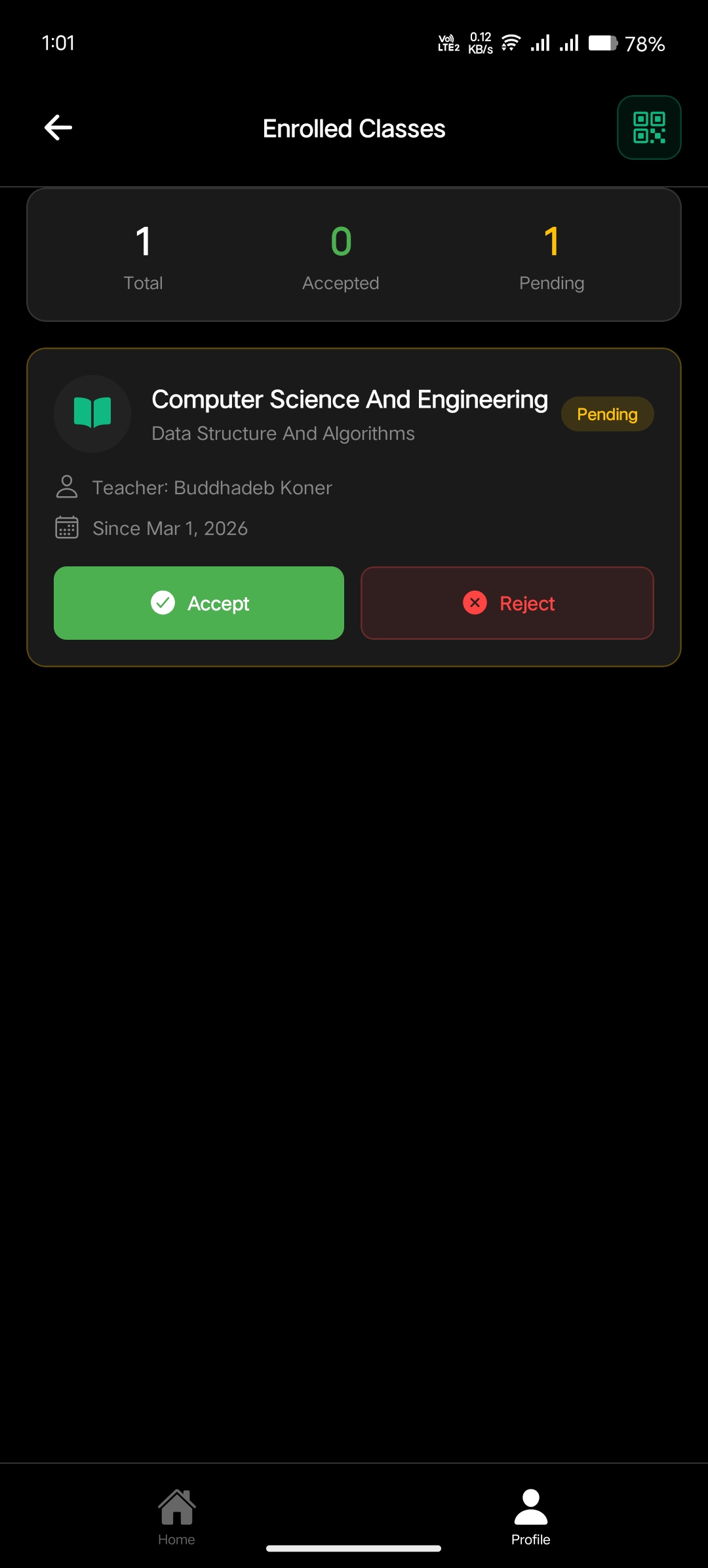
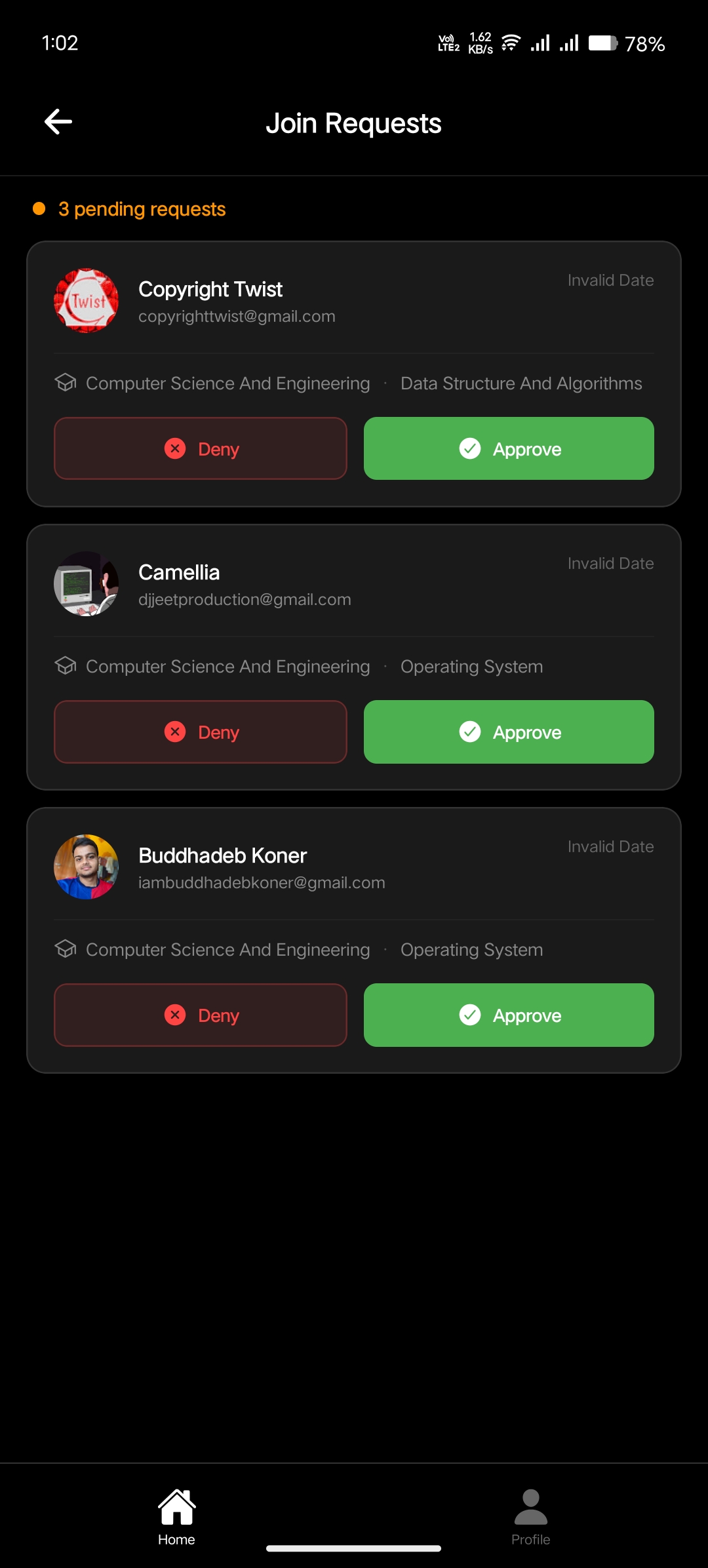
Join Request System: Approval Workflow
When a student sends a request to join a class, the teacher receives a notification and can accept or reject the request. This two-way request system works both ways — teachers can invite students, and students can request to join. The teacher always has final approval authority, maintaining full control over class enrollment.
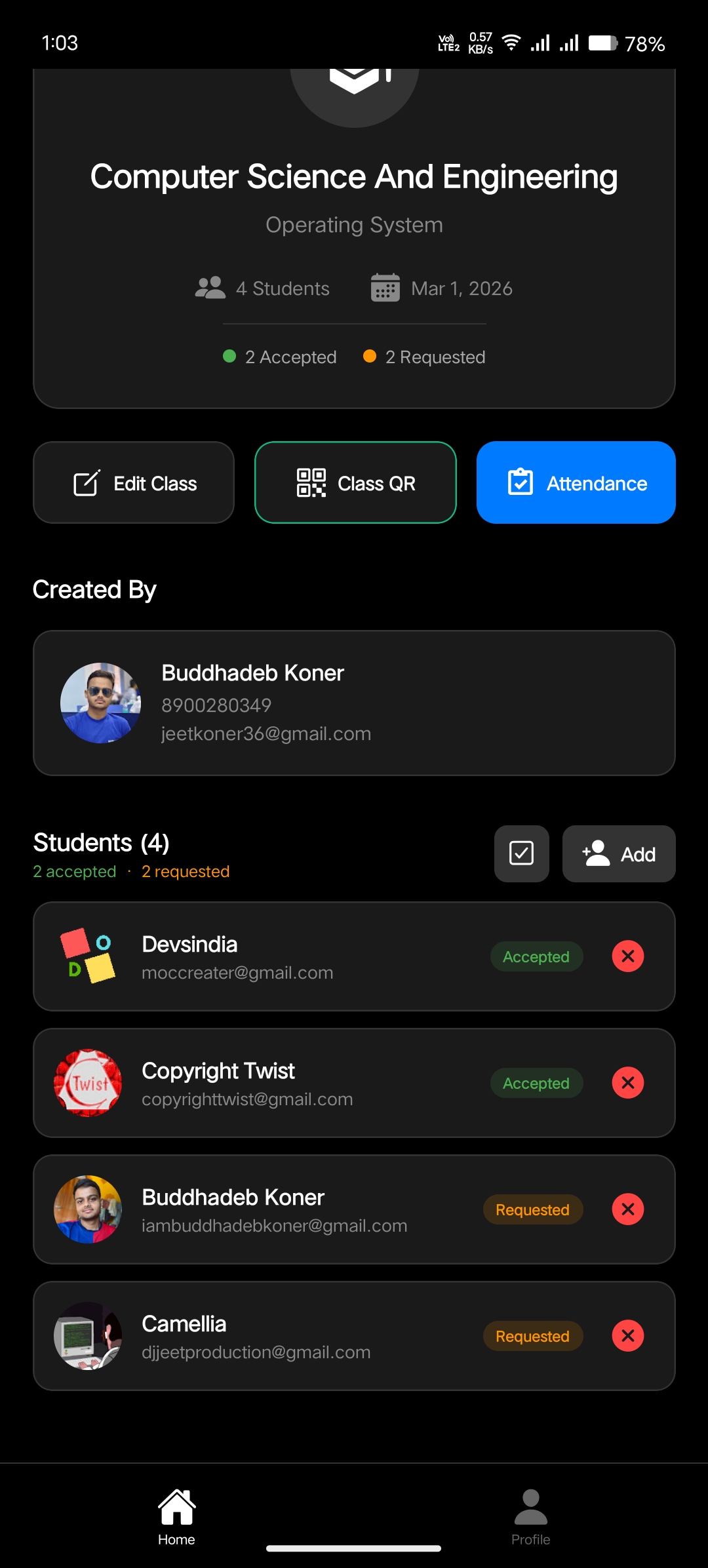
Class Details — Teacher View
The Class Details screen from the teacher's perspective shows the complete list of enrolled students, class metadata, and management options. Teachers can add new students, remove existing ones, and access attendance records for the class. This view serves as the central hub for managing everything related to a specific class.
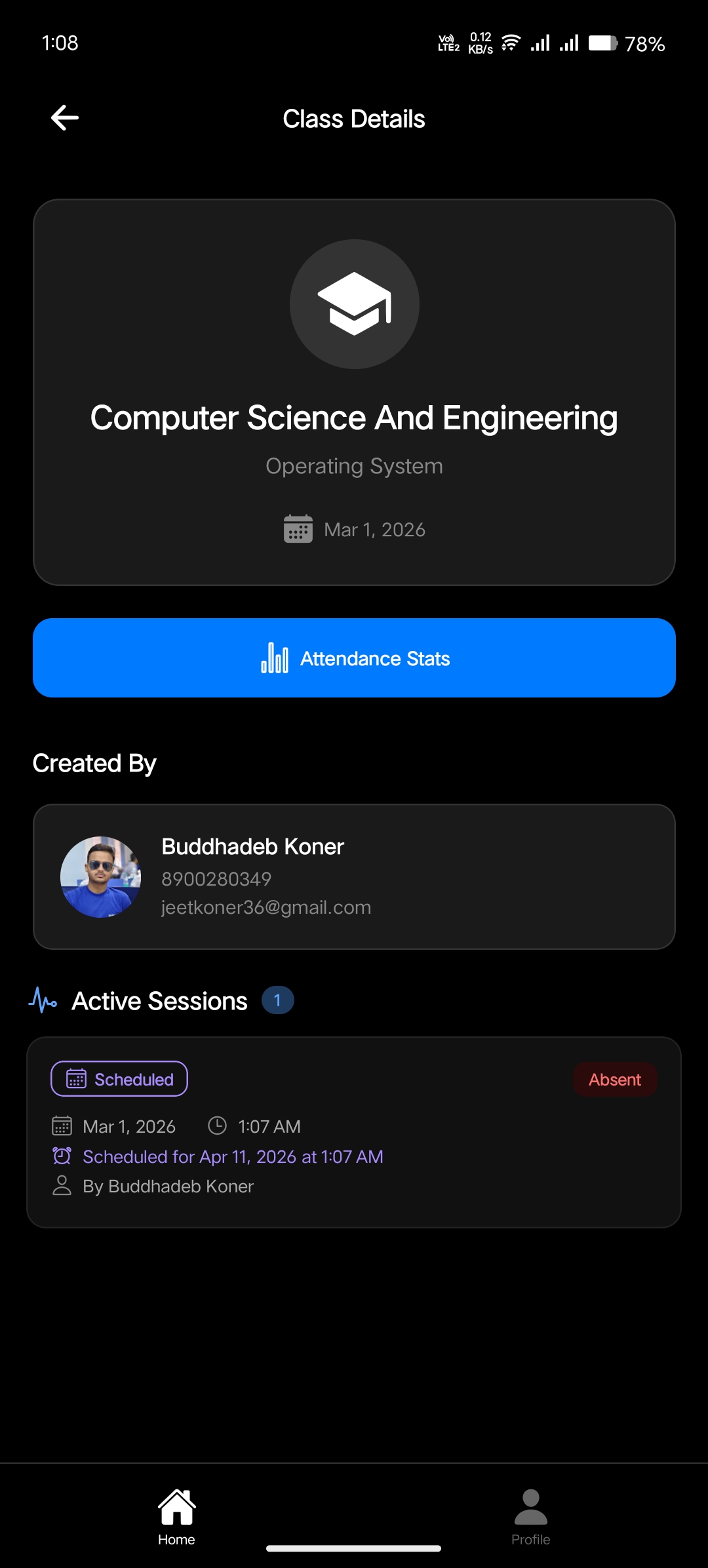
Class Details — Student View
Students see a simplified version of the class details screen. They can view the class information, see who the teacher is, and access their own attendance records for that class. The student view deliberately hides management controls, keeping the interface clean and focused on what matters to the student — their attendance data.
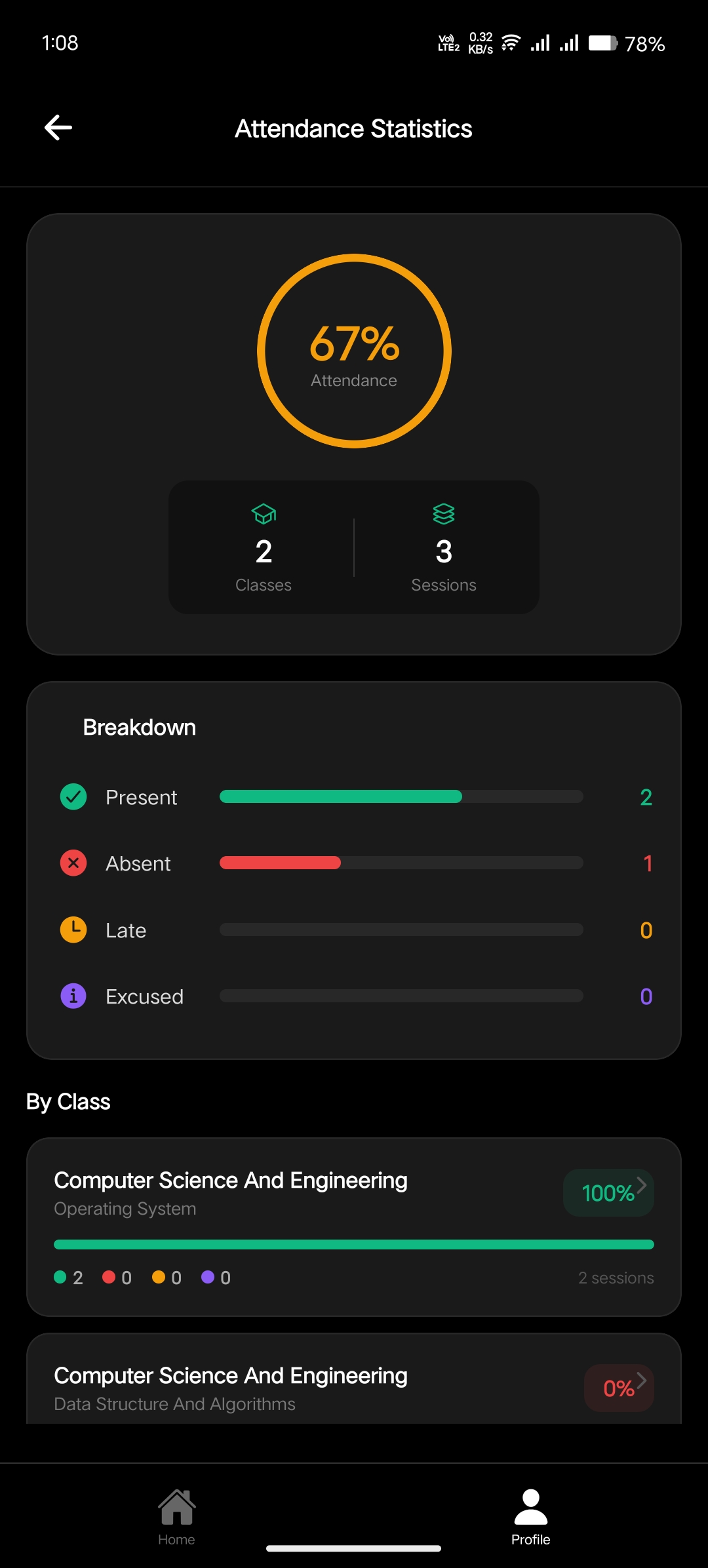
Attendance Statistics & Analytics
One of the most powerful features of Smart Attendance is the comprehensive attendance statistics module. Teachers can access detailed analytics for every student in their class. The stats screen breaks down attendance into multiple categories — Present, Absent, Late, and Excused — with visual indicators and percentage calculations. This gives teachers a bird's-eye view of attendance patterns and helps identify students who may need attention.
QR Code Scanner — Marking Attendance
The heart of the attendance system is the QR code scanner. Every student in the app has a unique QR code that serves as their identity. When it's time to mark attendance, the teacher simply opens the scanner, points the camera at a student's QR code, and the attendance is recorded instantly. The scanner uses the device camera and supports fast, real-time scanning — making it possible to process an entire classroom in minutes.
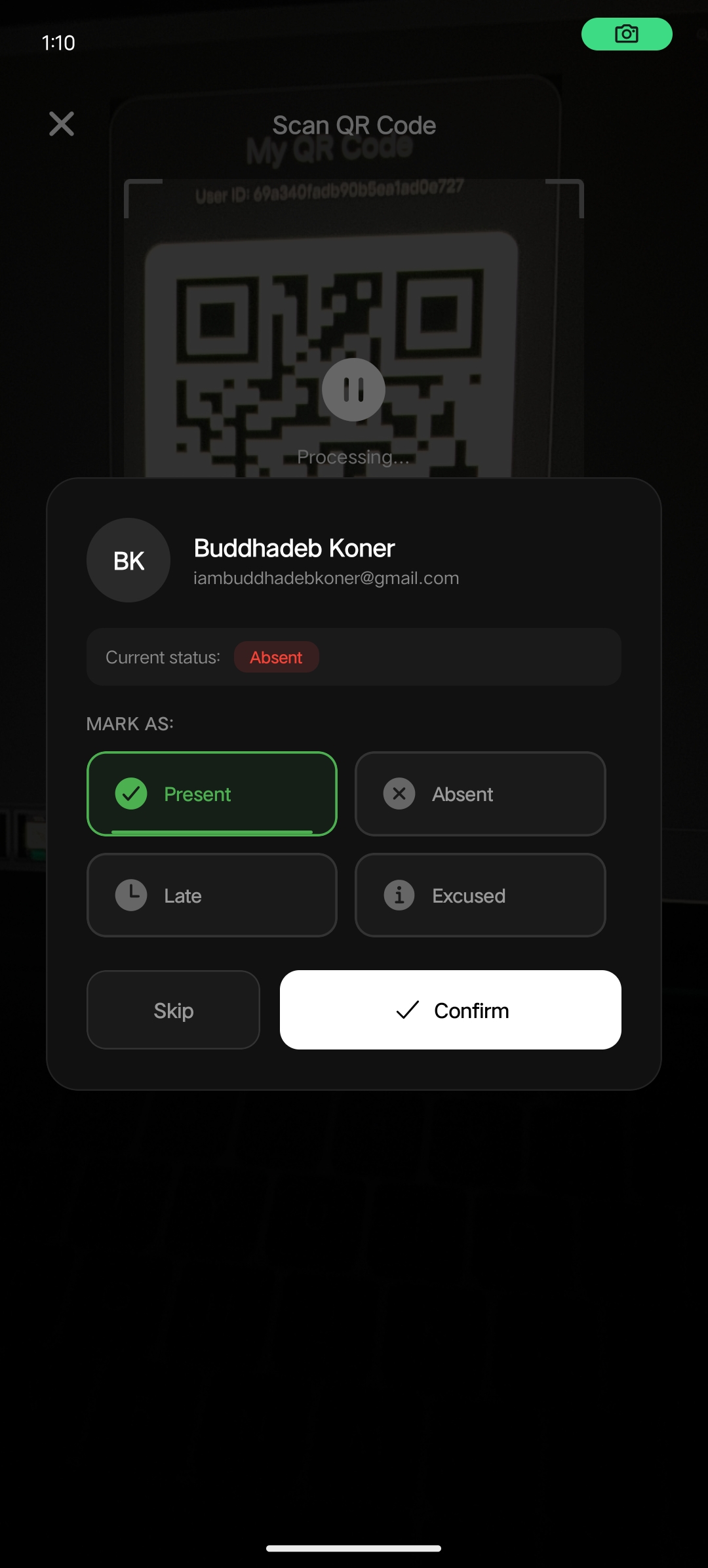
Each student's QR code is unique and tied to their account. This makes proxy attendance virtually impossible — you need the actual student's phone to present the QR code.
My Attendance History
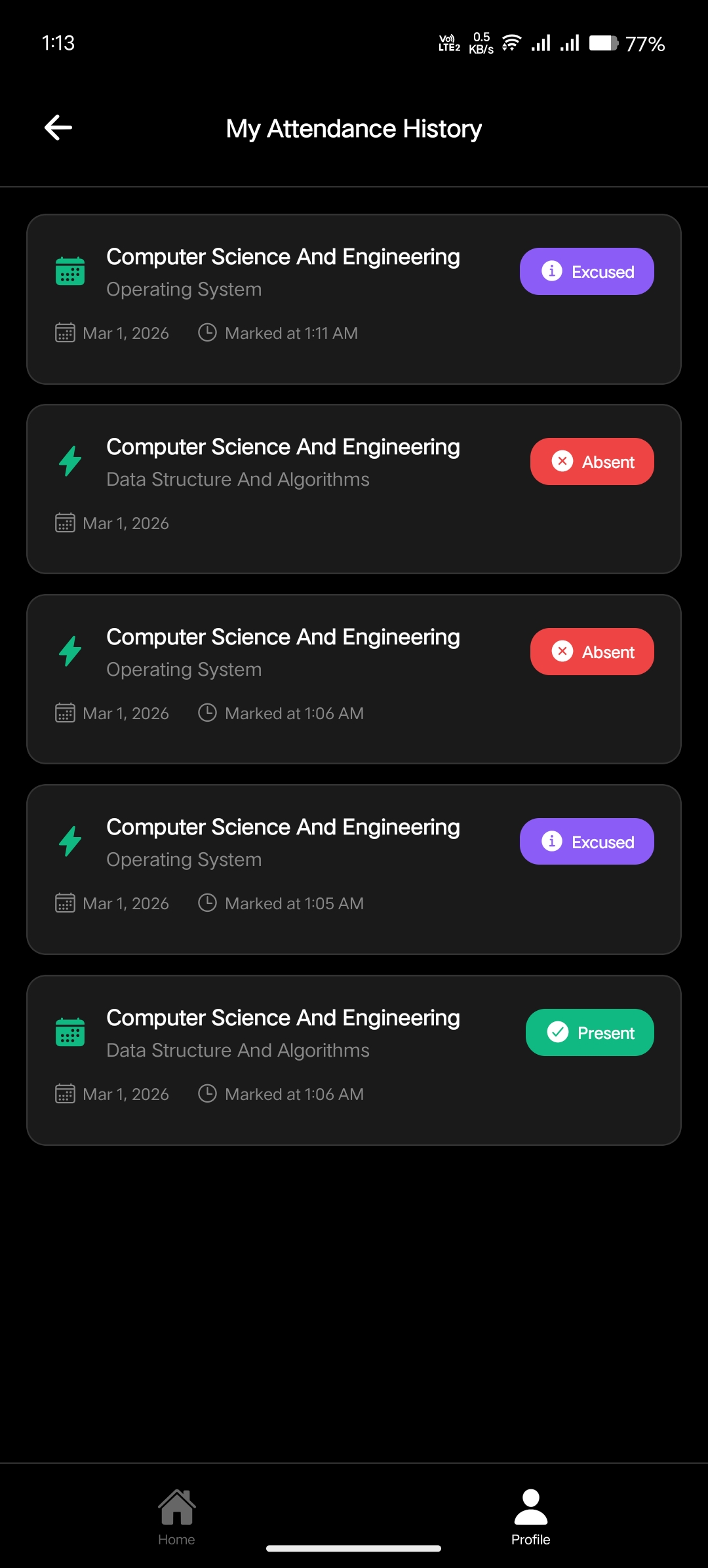
Students can track their full attendance history from their profile. The Attendance History screen displays a chronological log of all attendance records with clear status indicators — Present, Absent, Late, and Excused. Each entry shows the date, class name, and status, giving students full transparency into their attendance records and helping them stay accountable.
My QR Code — Student Profile
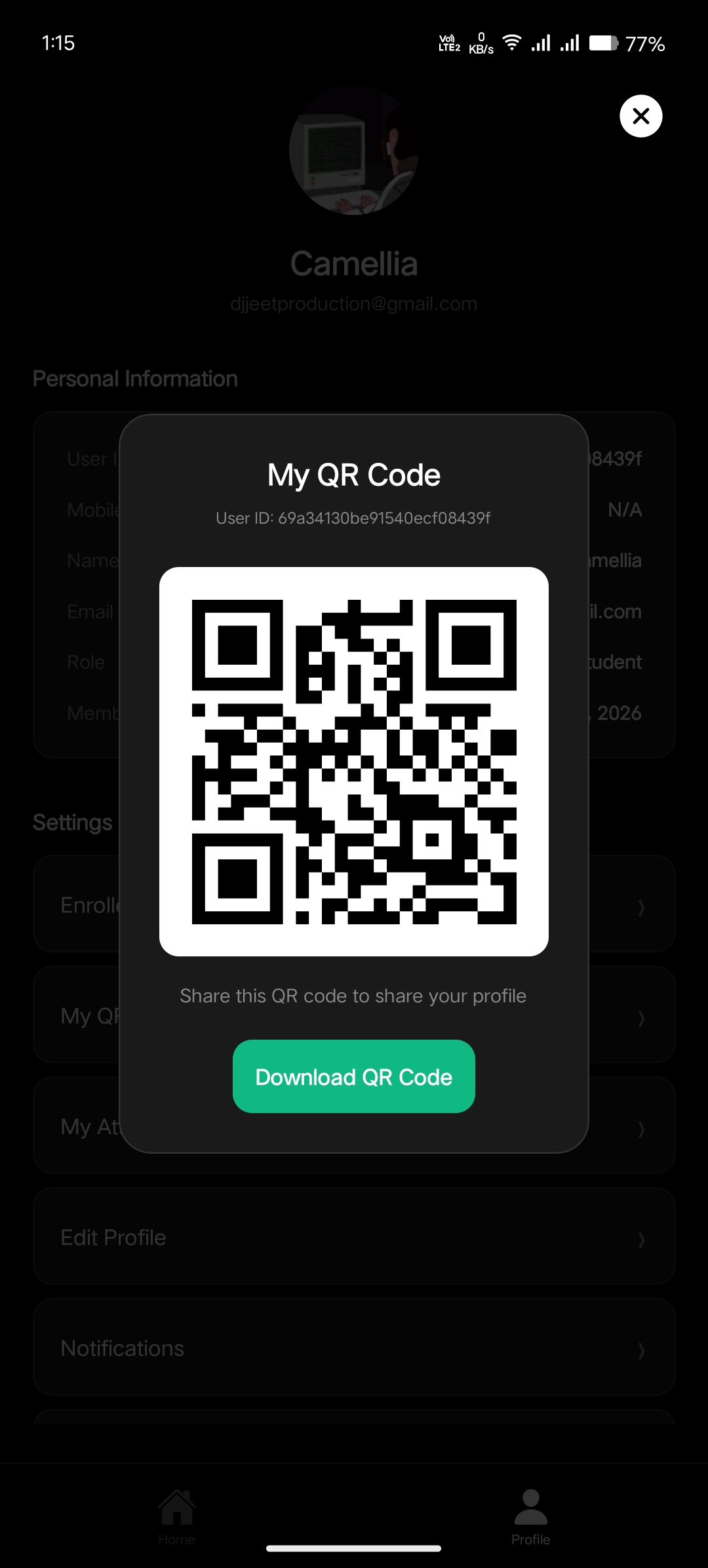
In the Profile section, every student has access to their unique QR code. This QR code is what teachers scan to mark attendance. Students can display it on their screen during attendance sessions. The QR code is generated uniquely per student account and remains consistent, so teachers can even save recognized codes for faster processing in future sessions.
Technical Architecture
The application is built using a modern mobile development stack designed for performance and maintainability:
Tech stack and architecture decisions:
- React Native — Cross-platform framework targeting Android, providing near-native performance with JavaScript
- Role-Based Access Control — Teacher and Student roles with distinct permissions and UI surfaces
- QR Code Generation & Scanning — Unique identifiers per student, scanned via device camera
- State Management — Efficient handling of class data, student lists, and attendance records
- RESTful API — Backend communication for syncing attendance data, user management, and class operations
- Secure Authentication — User accounts with proper session handling and role verification
Key Challenges & Lessons Learned
Building Smart Attendance came with its share of challenges. Handling the camera permissions and ensuring smooth QR code scanning across different Android devices required thorough testing. The role-based UI system needed careful architecture to avoid code duplication while keeping the teacher and student experiences distinct. Implementing the request/approval workflow for class enrollment taught me a lot about managing asynchronous state and notifications in a mobile context.
Key takeaways from the project:
- Camera API handling — Android permissions and camera lifecycle management require careful attention
- Role-based architecture — Designing shared components with role-specific rendering keeps code DRY
- Offline consideration — Mobile apps need to gracefully handle network interruptions
- UX for speed — Attendance marking must be fast; every extra tap reduces efficiency in a real classroom
The most important lesson: in a classroom tool, speed and simplicity win over feature richness. Teachers have 2-3 minutes for attendance, not 10.
What's Next
Smart Attendance is actively being developed with several enhancements planned for future releases. These include push notifications for attendance reminders, export to CSV/PDF for attendance reports, offline mode with sync-on-reconnect, and multi-language support. The goal is to make this a production-ready tool that educational institutions can adopt at scale.
If you're interested in trying it out, you can download the latest APK from the GitHub releases page and install it on any Android device. Contributions and feedback are always welcome!